
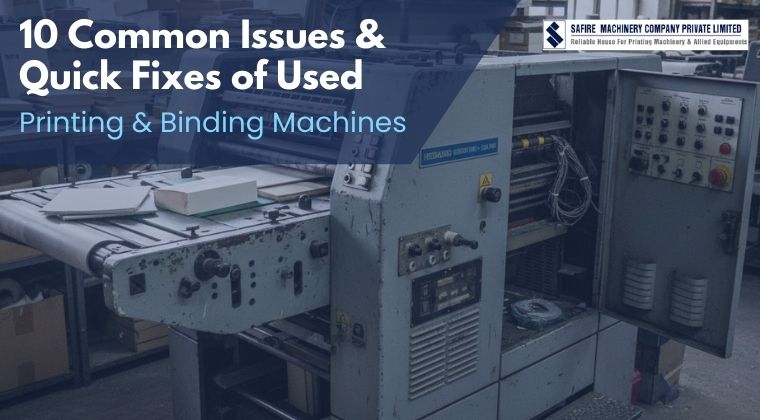
Buying used printing machines in India is one of the smartest ways to reduce capital investment while maintaining production efficiency. From commercial presses to folding and binding machines, refurbished equipment helps printing businesses scale affordably.
However, even high-quality second-hand printing machines can develop operational issues if not properly maintained. This guide explains the most common problems in used printing and binding machines — and practical solutions to fix them quickly.
Why Do Issues Occur in Used Machines?
Operational issues in second-hand printing equipment usually stem from:
- Natural wear and tear of mechanical components
- Previous operating conditions
- Irregular servicing or improper setup
- Dust accumulation and outdated calibration
Understanding these challenges allows buyers to confidently operate refurbished printing machines without fear of frequent breakdowns or rising repair costs.
Common Problems in Used Printing & Binding Machines
1. Paper Alignment Issues
What Causes the Problem:
Misaligned side guides, improper feeder setup, uneven paper stacks, or worn folding plates often cause inaccurate sheet feeding in folding and binding machines.
Quick Fix:
✅ Re-align the folding plates and adjust paper guides precisely to match the sheet dimensions being used.
✅ Ensure the paper stack is evenly loaded and squared before feeding.
2. Inconsistent Binding Across Finished Products
What Causes It
Uneven clamp pressure, worn binding jaws, or aging pressure components—common in high-usage binding machines.
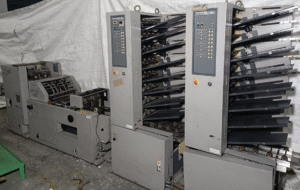
Second hand Binding Equipment
Quick and Practical Fix:
✅ Adjust clamp pressure evenly across the binding area and inspect binding jaws for signs of wear.
✅ Replace damaged or weakened parts promptly.
3. Excessive Machine Vibration
What Causes the Problem:
Abnormal vibration or unusual noise typically occurs due to loose fasteners, unbalanced rollers, or worn bearings.
As folding and binding machine components age, even minor imbalances can increase stress on moving parts, accelerating wear and affecting overall machine stability and performance.
Quick and Practical Fix:
✅ Immediately tighten all loose bolts and fasteners, and inspect bearings for damage or wear.
✅ Replace any components that show excessive play.
4. Frequent Paper Jams During Operation
What Causes the Problem:
Paper jams are commonly caused by dust buildup inside feed paths, worn feed rollers, incorrect paper thickness settings, or the use of unsuitable paper grades.
These factors disrupt smooth paper movement, resulting in repeated stoppages, wasted materials, and reduced production efficiency.
Quick and Practical Fix:
✅ Clean the feed rollers thoroughly to remove dust, paper residue, and ink buildup.
✅ Reset the paper thickness and feeder pressure settings based on the specific material being used.
5. Uneven Trimming After Binding
What Causes the Problem:
Uneven trimming is often linked to dull cutting blades, worn knife edges, or improper cutter alignment.
Over time, cutting components lose sharpness, causing irregular edges, poor finishing quality, and higher rejection rates, especially in bookbinding and commercial print finishing applications.
Quick and Practical Fix:
✅ Re-align the trimming unit carefully to ensure accurate and even cuts.
✅ Sharpen or replace blades that have become dull or lost their cutting edge.
6. Glue Application Issues
What Causes the Problem:
Glue application problems usually arise from blocked glue nozzles, residue buildup inside glue tanks, or incorrect temperature control.
These issues prevent uniform adhesive flow, leading to weak binding, spine cracking, and reduced durability of books and bound materials.
Quick and Practical Fix:
✅ Clean the glue tank, nozzles, and rollers thoroughly
✅ Reset glue temperature according to the manufacturer’s specifications.
7. Motor Overheating or Electrical Power Fluctuations
What Causes the Problem:
Motor overheating often results from machine overloading, poor ventilation, or unstable power supply conditions.
Continuous operation under these conditions puts excessive strain on motors, leading to unexpected shutdowns, increased electrical faults, and potential long-term damage to critical drive components.
Quick and Practical Fix:
✅ Reduce the machine load and avoid overworking the motor beyond its recommended capacity.
✅ Improve airflow around the motor and inspect all electrical connections to identify and correct any faults.
8. Sensor Errors and False Machine Stoppages
What Causes the Problem:
False machine stoppages are frequently caused by dust-covered sensors, misaligned sensor positioning, or aging electronic components.
These faults interfere with accurate signal detection, triggering unnecessary error alerts and interrupting production even when the machine is mechanically sound.
Quick and Practical Fix:
✅ Carefully clean all sensors and realign them to their correct positions.
✅ Replace faulty sensors if errors persist.
9. Reduced Machine Speed
What Causes the Problem:
Machines may fail to reach their rated operating speed due to increased mechanical friction, outdated configuration settings, or lack of operator familiarity with machine controls.
These factors collectively reduce productivity, slow job turnaround times, and limit overall operational efficiency.
Quick and Practical Fix:
✅ Recalibrate speed settings to match the machine’s rated capacity and current job requirements.
✅ Lubricate moving components and remove mechanical resistance to ensure smooth operation and consistent output speed.
10. Wear in Rollers, Belts, and Clamps
What Causes the Problem:
Continuous machine operation without timely component replacement leads to worn rollers, stretched belts, and weakened clamps.
As these parts degrade, machines experience slippage, poor paper handling, and inconsistent binding performance, ultimately increasing maintenance frequency and downtime.
Quick and Practical Fix:
✅ Identify worn rollers, belts, or clamps at the first sign of performance issues such as slippage or inconsistent feeding.
✅ Replace the affected components immediately to restore smooth operation and prevent further machine damage.
Preventive Maintenance Tips to Reduce Downtime
- Daily cleaning of paper paths and glue systems
- Scheduled lubrication and alignment checks
- Early detection of vibration, noise, or speed drops
- Operator training for correct setup and handling
Planning to buy a used printing or binding machine dealer in India? We are your trusted partner.
Operational challenges are inevitable in any print setup, but they don’t have to limit growth. By identifying issues early and applying the right solutions, print businesses can improve efficiency, reduce downtime, and extend equipment life.
With proper maintenance, expert support, and informed sourcing from Safire Guna Machineries – a trusted used printing machine dealer and binding machine supplier—pre-owned equipment remains a reliable, scalable, and cost-effective solution for modern print operations.
Your Questions Answered
1. Are used printing and binding machines reliable for daily production?
Yes. When sourced from a trusted supplier and properly refurbished, used machines deliver consistent daily performance.
2. How can I reduce breakdowns in used printing machines?
Follow preventive maintenance routines, conduct regular inspections, and train operators effectively.
3. What should I check before buying refurbished printing machines?
Machine condition, service history, spare part availability, power compatibility, and after-sales support.
4. Are spare parts available for second-hand printing machines?
Yes. Most standard parts are available, especially when purchased from experienced suppliers.
5. Why choose Safire Guna Machineries?
They offer inspected, calibrated, and performance-ready used printing and binding machines backed by expert support.
